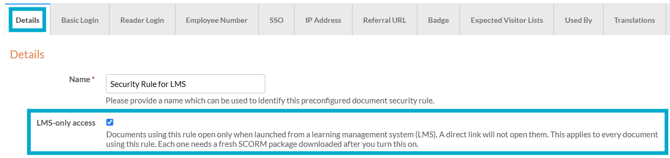
Yes - this can be done by selecting the 'LMS-only' access for the security rule applied to the document.
This setting is useful when you want to make sure access is controlled through your LMS and that learners do not bypass the intended route into the activity.
When the setting is enabled, learners must launch the document from within the LMS, rather than by using a direct document link. If someone accesses the document directly, they will see a Page Not Found message instead.
How to enable LMS-only access
- Navigate to 'Documents', followed by 'Settings'.
- Add or edit an exsiting security rule.
- Select the 'LMS-only access' checkbox on the 'Details' tab.