
When a visitor navigates through a document using a keyboard, the focus outline is the visible indicator that highlights which piece of interactivity is currently selected.
The focus outline colour appears as a coloured border around interactive modules, moving from one element to the next as the visitor presses the Tab key.
- Click on a piece of interactivity on your page.
- The 'Settings' palette will activate.
- Select a colour from the colour picker for 'Focus Outline Colour'.
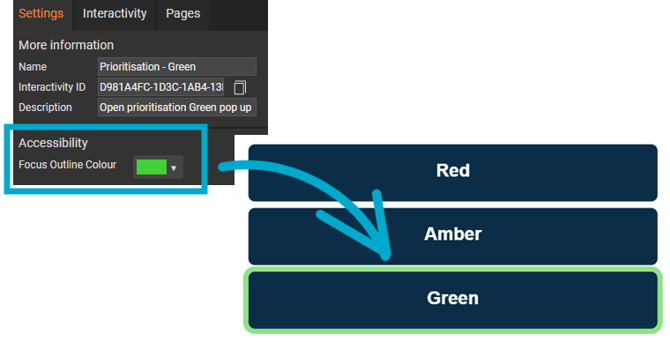
Choosing a clearly visible colour is essential for people who do not use a mouse, as it shows exactly where they are on the page and which item will be activated if they press Enter or Space.