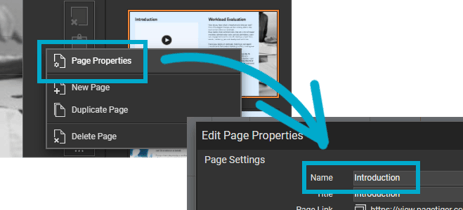
Giving each page a meaningful name helps screen readers announce page transitions clearly, making it easier for visitors to understand where they are in your document.
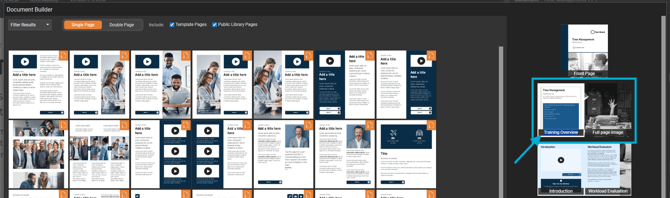
- Select the 'Design' tab.
- Select the 'Pages' palette.
- Select 'Add New Page' to open the Document Builder.
- Hover over a page and enter a page name.
Press the Tab key to move between pages quickly when naming them.
Alternatively, right-click on a page from the 'Pages' palette, select 'Page Properties', and enter a name in the 'Title' field.