
The reading order of the panels on each page of your document determines the sequence that a screen reader will present your content.
Getting this right is essential - not just for screen reader users, but also for visitors who navigate using a keyboard rather than a mouse.
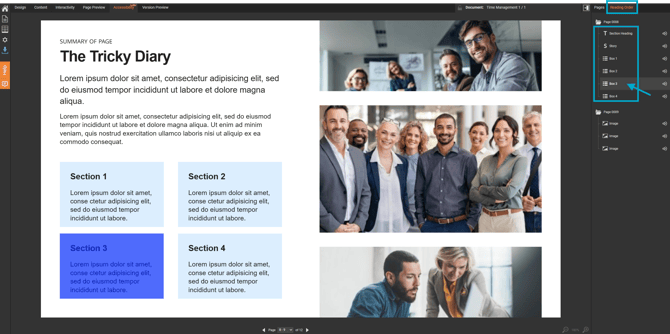
- Select the 'Accessibility' tab.
- Select the 'Reading Order' palette.
- Click and drag the panels to set the correct reading order.
If the reading order is incorrect, content may be presented out of context, leading to a confusing or frustrating experience.