
Yes! You can customize how long the interactivity glow effect remains visible by adjusting the Glow Duration setting within a style. Here's a how to ->
- Navigate to Styles:
- Documents → Settings → Styles
- Select one of the following:
- Click Edit on an existing style, or
- Click Add New to create a new style
- Click the Document View tab within the settings
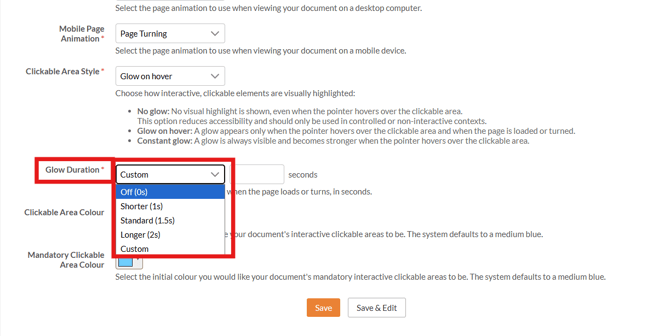
- Locate the Glow Duration setting.
- Choose your preferred duration:
- Select a preset time from the dropdown menu, or
- Enter a custom duration
- Click Save to apply your changes
Once saved, the glow duration setting is tied to that style.
To use it, simply apply the style to your document.