
Overview
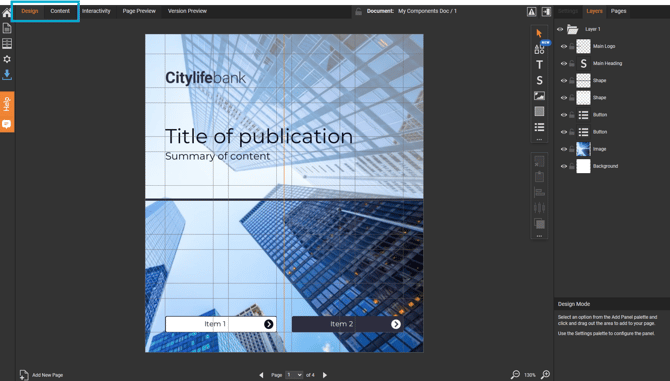
TigerDesigner has two ways of working on a Fully Editable document: Design and Content.
-
Design
Building and changing the layout - what goes where and how it looks. -
Content
Updating text and images inside that layout, without moving anything.
Switching between the two keeps layout work and content updates separate, so quick edits never disturb a finished design.
| I want to... | Use |
| Create a new document or refresh an existing layout | Design |
| Add, move or resize panels | Design |
| Change formatting or visual structure | Design |
| Edit text in a Story or List panel | Content |
| Replace or add images | Content |
| Make quick updates to a content-heavy document | Content |
Design
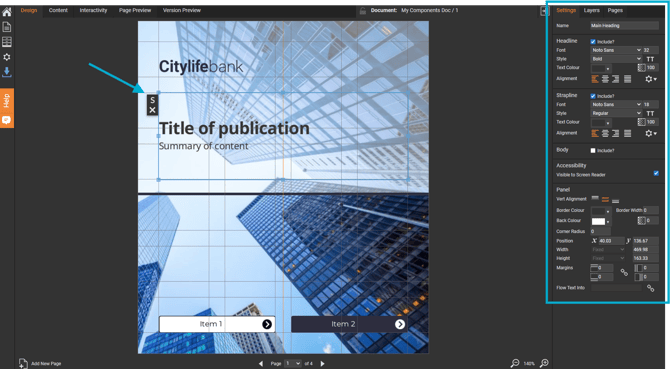
Design is the creative workspace for shaping how a document looks and feels.
In Design, you can:
-
Add panels, such as Text, Image and Shape
-
Move, resize and position panels on the page
-
Adjust formatting, layout and visual structure
Content
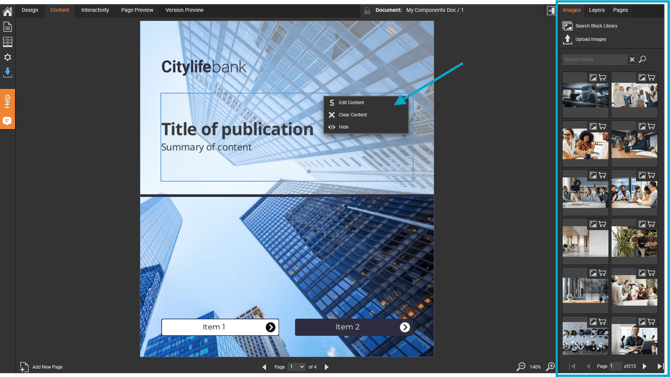
Content focuses on what the document says. The layout stays locked in place, so there's no risk of accidentally nudging a panel.
In Content, you can:
-
Update text, for example in a Story or List panel
-
Replace or add images
-
Drag images straight into an image panel from the Images palette
How to switch
-
Open a Fully Editable document in TigerDesigner.
-
Select the 'Design' or 'Content' tab.
-
Switch back at any time - changes made in either are kept.