
Shared Styles, Security Rules, and Menus are visible within your account so you can easily create your own copy and manage them independently.
How it works
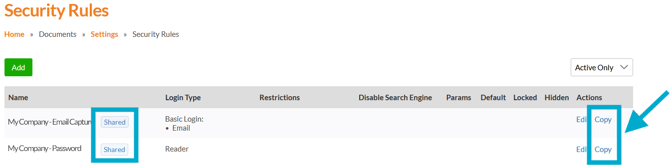
When viewing a shared item (Documents > Settings), you’ll have the option to create a copy into your own account. Once copied, you can edit and customise it as needed without affecting the original shared version.
This applies to shared:
- Styles
- Security Rules
- Menus
Why this is helpful
Creating your own copy gives you more flexibility and control over your setup. Instead of submitting requests through our Support team, you can:
- Make updates instantly yourself.
- Customise settings to suit your needs.
- Test changes safely without impacting shared versions.
- Reduce delays and dependency on support requests.
This helps speed up changes, and allows your team to manage settings more efficiently within your own account.