
Available with Essentials Plus - contact your Customer Success Manager to upgrade!
Once your translated version has been reviewed and published, it’s ready to be shared. Whether you’re sharing it with teammates, customers, or a wider audience, from this point on, others can view, access, and engage with your translated content!
- Navigate to a document.
- Select the 'Translations' option to expand the translations drawer.
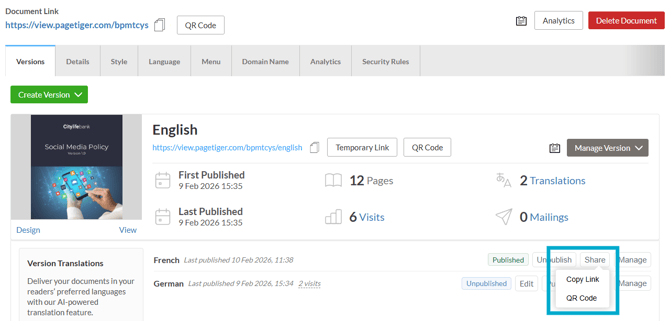
- Select the 'Share' option.
Three sharing options are available, each designed to offer flexibility over how you distribute your translated content and reach the right people at the right time.
-
Copy Link
Link directly to the translated version - ensure it's published first! -
Temporary Link (only available when unpublished)
Generate a time-limited link that automatically expires at the date/time you choose. -
QR Code
Download a QR code and share your content digitally or in printed promotions, such as a brochure or poster.
Prefer to send a bespoke, branded mailing?
TigerMailer enables you to create and send on-brand emails that link directly to your translated version, making it easy to track who has received and engaged with it!
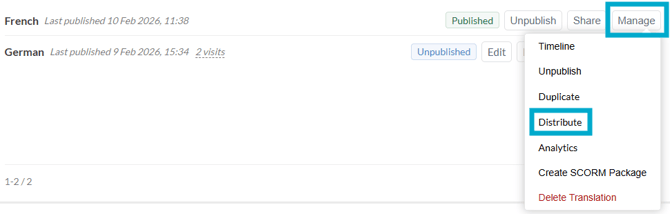
Full instructions on how to use TigerMailer can be found here.