
Add an TigerGenius User
-
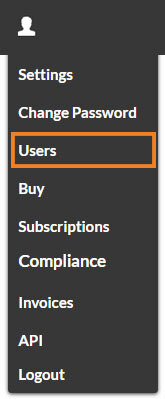
Select 'My Account' from the main menu, followed by 'Users'.
-
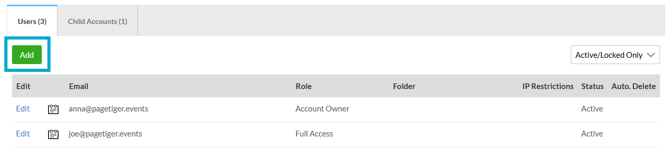
Select the 'Add' button to add a new user.
-
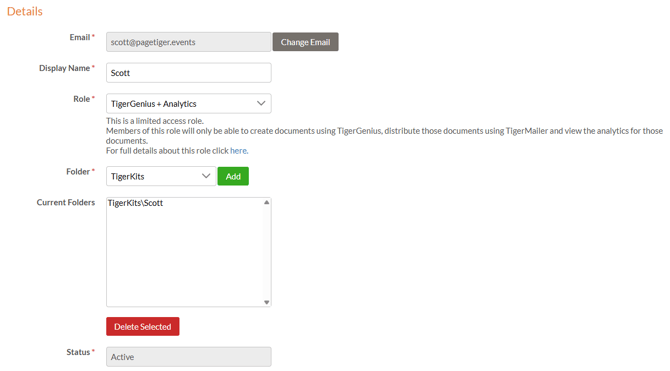
Complete the details for the new user:
-
Enter an email address and Display Name
-
Select the TigerGenius + Analytics role
-
Select or add a Folder.
-
The folders you select are where the TigerGenius user will be able to create new documents. We recommend creating a separate folder for each TigerGenius user.
-
Select the checkbox for the TigerKit(s) that you would like to assign to the TigerGenius User.

What happens next?
Once you save, the TigerGenius user will receive an email notification, and the assigned TigerKit will be available for them to use in TigerGenius.
Account Owners can impersonate a TigerGenius user to view or edit any documents that user has created. To do this, select ‘My Account’ from the main menu, followed by ‘Users’. Then choose ‘Login’ for the TigerGenius user you want to impersonate.