
The Account Owner controls the overall structure of the Parent account and has permission to share specific items with any Child accounts beneath it. These shared items can then be accessed and applied to documents within the Child account.
Sharing settings with a Child account enables the Parent account to apply consistent standards across multiple teams or regions, while still allowing users in the Child account to manage their own content.
How to share items to a Child account
-
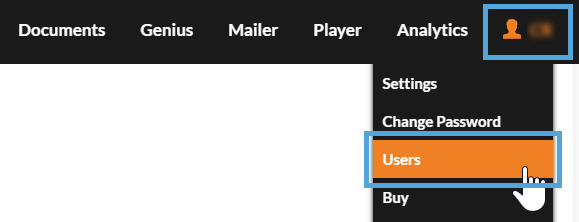
Select 'My Account', followed by 'Users'.
-
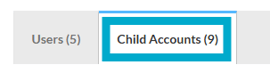
Select the 'Child Accounts' tab to view any Child Accounts and users.
-
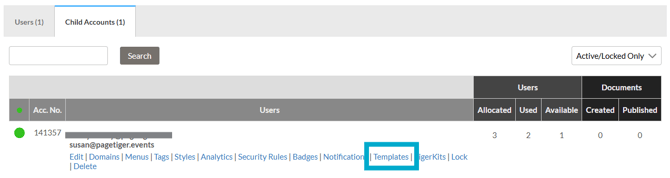
Select the Setting type that you would like to share - for example 'Templates'.
-
Select the 'Permission' checkbox to share the setting with the Child account.

-
Select the 'Save' button.
Example
Ben is the Account Owner of a Parent account with a single Child account, where Lisa is a user. He has created a newsletter template for Lisa to use each month to keep their team informed. Ben has shared both the template and a ‘Newsletter’ style with Lisa's Child account, so they are available for her to use.
What can be shared to a Child Account?
-
Menus
-
Tags
-
Styles
-
Analytics
-
Security rules
-
Badges
-
Notifications
-
Templates
-
TigerKits