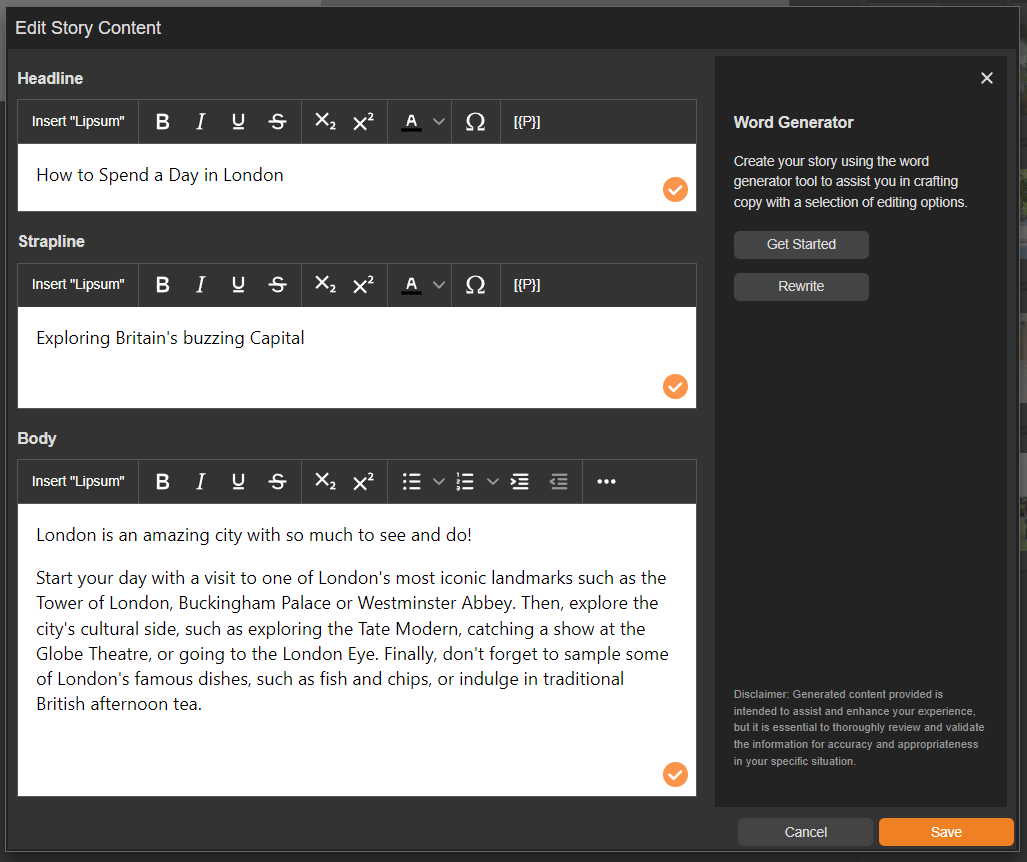
If you're tired of struggling to come up with the perfect words for your content, our Word Generator can help by creating copy from just a few simple keywords.
Well-written copy is essential for any type of content, whether it's a staff newsletter, job offer or sales presentation.
Our Word Generator takes the stress out of writing by creating well-written copy for you - all you need to do is provide a keyword or short sentence related to your topic or message and our Word Generator will do the rest.
How to use the Word Generator
-
Navigate to a document.
-
Select ‘Design’ for the Version of the document that you want to work on.
Your version will open ready for you to begin adding content.
-
Select a Text or Story panel on the page, followed by 'Edit Content'.
-
Select the 'Get Started' button.
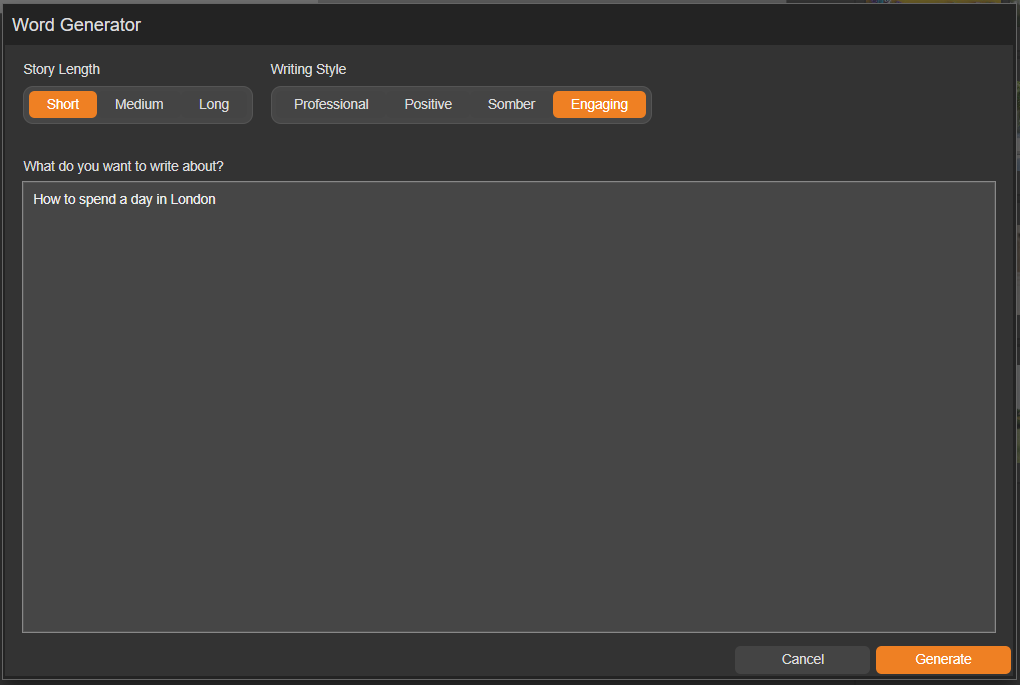
To generate text- choose the length of content that you require, the writing style and enter a short sentence or topic that you would to generate some wording for.
-
Story Length
Choose from Short, Medium or Long. -
Writing Style
Chose the tone of the content - Professional, Positive, Somber or Engaging. -
What do you want to write about?
Enter a topic or provide a short sentence about the wording you would like to generate.
If needed, you can specify the dialect within your prompt - for example, "Write an introduction about staff wellbeing in American-English".
Generate!
Once you are satisfied with your prompts, click the 'Generate' button. After a brief moment, your content will be ready to review.
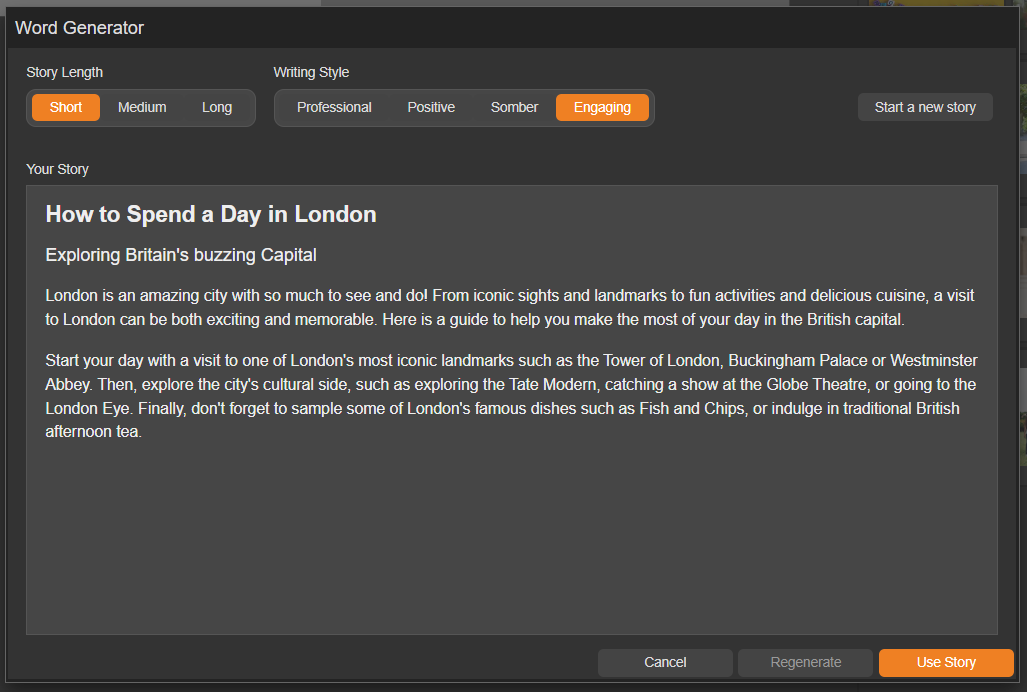
- Use Story
Select the 'Use Story' button if you are ready to use the text. - Regenerate
Select the 'Regenerate' button if you would to produce a new version.
-
Select the 'Save' button to populate the panel.