
Page Libraries are available on Enterprise plans. To find out more about upgrading to access this feature, please contact your Customer Success Manager.
Once a Page Library has been created, it's ready for you to add documents into it.
Page Libraries must only contain pages in the same format (e.g. Book page or Presentation page, not a mix)
Add a document to a Page Library
-
Select 'Manage' for the document from your homepage.
-
Select 'Manage Version', followed by 'Version Settings'.
-
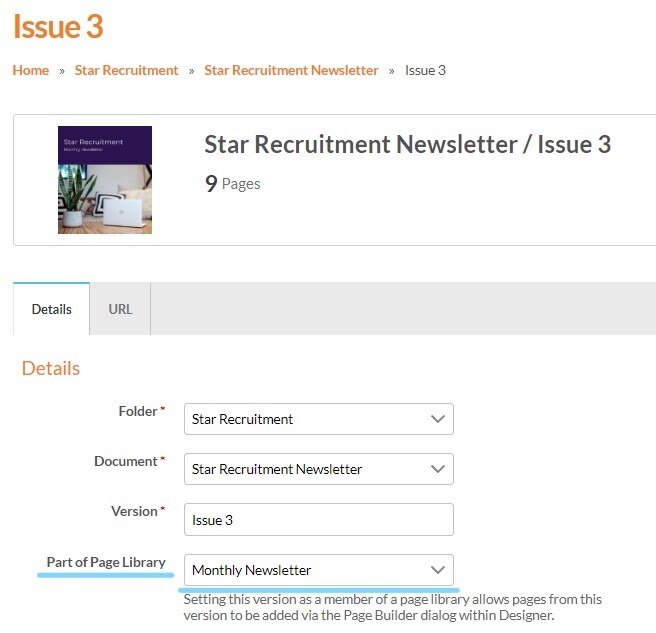
Choose which Page Library you would like to add it to from the 'Part of Page Library' drop-down list.
Keep in mind that any documents that are added to a Page Library cannot be published as they are being used by other documents. This also means you can edit the documents at any time too, which will update the library!
You can read the Page Libraries Guide here.
Next Steps
Once one or more documents have been added to a Page Library, it can be used to to create a new document. This allows you to build fresh content using the pages you have already added to the library, helping you keep layouts, branding and structure consistent.
For step-by-step guidance, visit How to use a Page Library.