
Page Libraries are available on Enterprise plans. To find out more about upgrading to access this feature, please contact your Customer Success Manager.
When you are ready to make something new, create a new document and select the Page Library. All the pages from the document(s) in the Page Library will be available to use.
Using a Page Library
-
Select 'Create Document' from the main menu, followed by 'TigerDesigner'.
-
Create a new document.
-
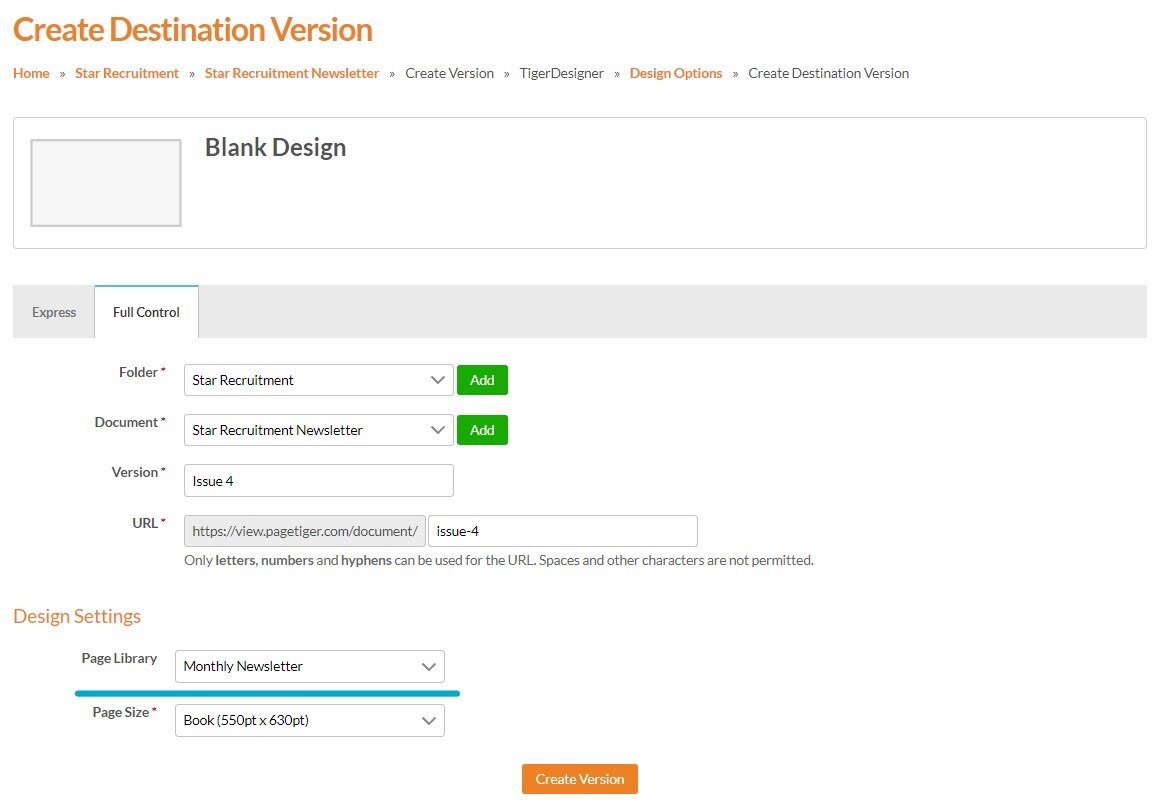
Select 'Full Control' tab and complete the location and document details.
-
Select the Page Library that you would like to use from the 'Page Library' drop-down list.
-
Select 'Create Version'.
Your new document will be created and all of the pages from all of the documents in the chosen Page Library will be available for you to use!
Read the Page Libraries Guide here.