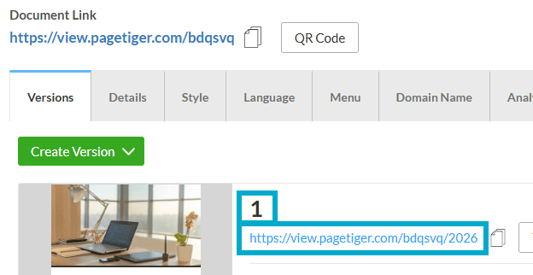
A Version Link opens a specific version within a document, while a Document Link always opens the most recently created and published version of that document.
Understanding Version Names & URLs
Version NameThe name (or title) of a version stored within a document.
Use a short, concise name to make it easier to find a version in your account.
The URL/Link used to view a specific version stored within a document.
The version URL is added to the end of the document URL:
Example
https://view.pagetiger.com/DOCUMENT/VERSION
https://view.pagetiger.com/GUIDANCE/1
A version must be unpublished before its name or URL can be edited.
How to change the Name or URL of a version
-
Navigate to the 'Document Management' page for a version.
-
Select ‘Manage Version’ for the version you would like to rename, followed by ‘Version Settings’.

-
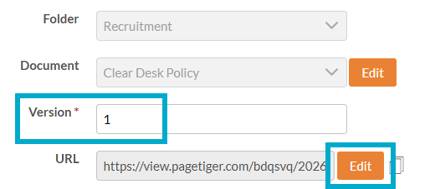
Enter a new name into the 'Version' field to change version name.
-
Select the 'Edit' button to change the URL of the version.