
Add a real-time notification to a document version so you can keep track of engagement as it happens.
It’s a simple way to see who is opening your content, how often it’s being viewed, and when a version is attracting attention, without needing to check analytics manually.
Scenario
Management send out a monthly staff newsletter and want to know if people are opening it. They add a 'Visit Notification' to the version, and receive an email alert every time it's viewed.
How to add a Visit Notification to a Version
-
Navigate to the version that you would like to add a notification to.
-
Select ‘Manage Version’, followed by ‘Version Settings’.
-
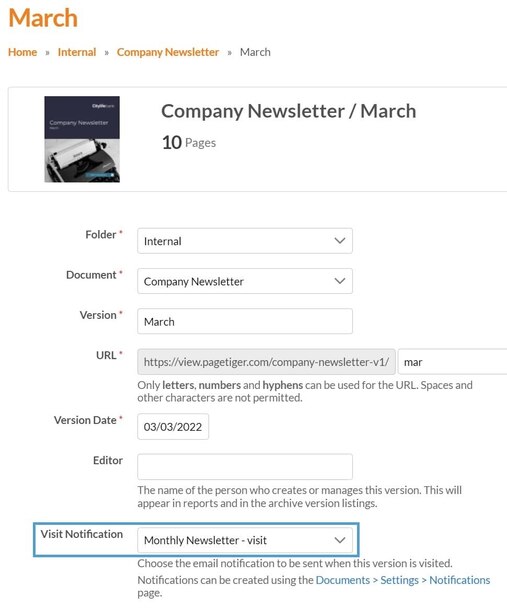
Choose the notification from the ‘Visit Notification’ drop-down list.
-
Select ‘Save’.
What happens next?
You'll now get a real-time notification whenever the version is visited, helping you stay up to date with engagement as it happens. This makes it easy to spot activity straight away, without needing to check your analytics manually.