Once an Expected Visitor List (EVL) has been created, it can be used to see exactly who's engaged with your content and who hasn't. The EVL applies across every version of your documents, so tracking stays consistent no matter which version people are viewing.
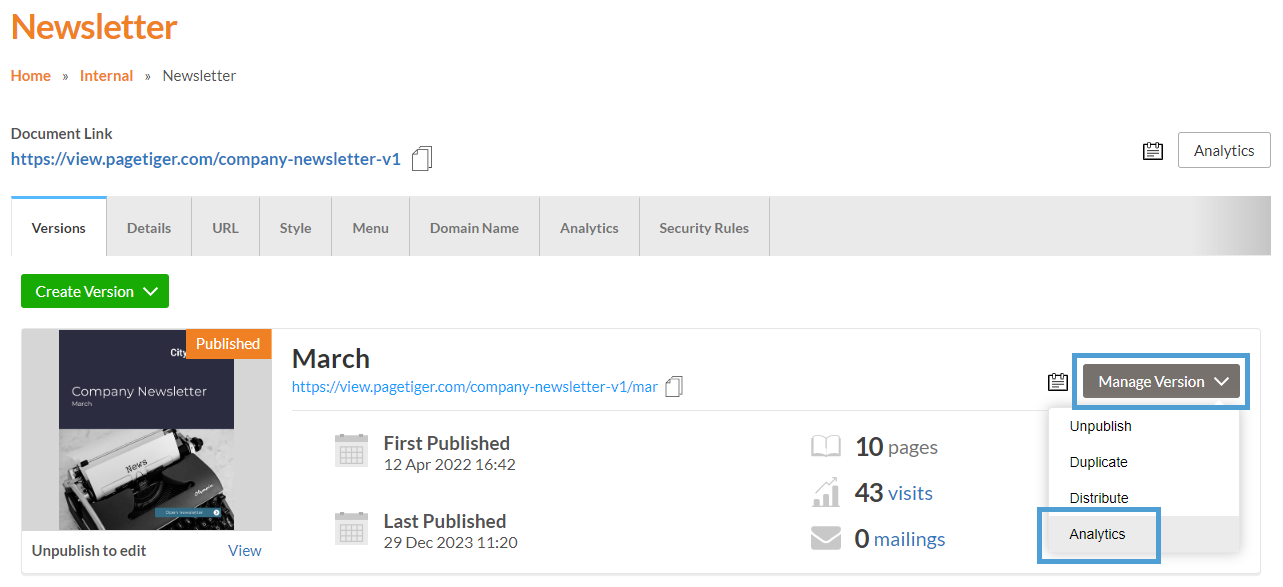
Begin by navigating to the version you would like to check the Expected Visitors for.
- Navigate to a document,
-
Select ‘Manage Version’ for the version, followed by ‘Analytics’.
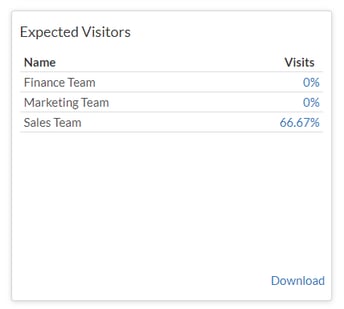
The 'Version Dashboard' will then open, and all Expected Visitor Lists will be shown in the 'Expected Visitors' panel, along with a 'Visits' percentage.
-
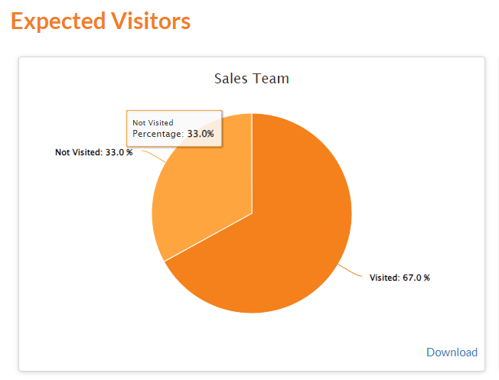
Click on a percentage for a more detailed breakdown.
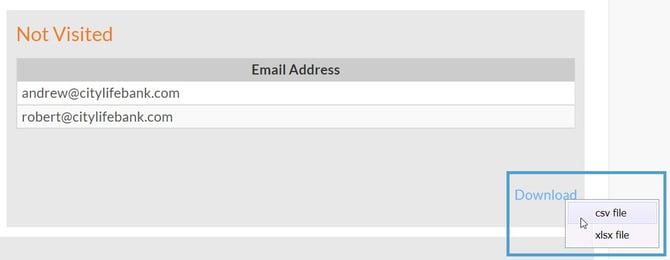
You’ll then see a pie chart and two tables showing the email addresses of people who have 'Visited' and 'Not Visited'. Both lists can be downloaded for reporting purposes.
Download a spreadsheet of the 'Not Visited' email addresses and use it as a contact list to send a reminder email encouraging your team to view the content.