
Alt text describes the appearance and purpose of an image on the page, and is read aloud by a screen reader when a document is viewed in Accessible or High Contrast Mode. This allows visitors who can't see the image clearly, or at all, to understand what it represents and how it relates to the surrounding content.
Layout Library documents
- Ensure you are in 'Content' mode.
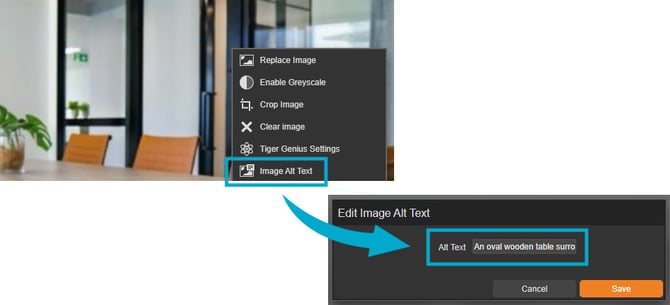
- Select an image panel on the page, followed by 'Image Alt Text'.
- Enter the alt text into the 'Alt Text' field.
Fully Editable documents
- Ensure you are in 'Design' mode.
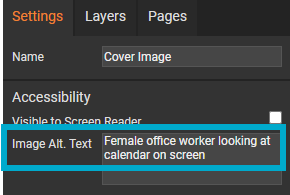
- Select an image panel on the page to activate the 'Settings' palette.
- Enter the alt text into the 'Image Alt. Text' field.
Tips for writing good alt text:
- Aim for 125 characters or fewer.
- Describe the content of the image concisely.
- Avoid phrases like "image of" or "picture of" - screen readers already identify it as an image.
For further guidance, visit the W3C guide to writing meaningful text alternatives.