
Yes! With a Fully Editable design, you can upload your own fonts directly, giving you complete control over your typography.
Uploading your own font is ideal if your brand uses a specific licensed font or one that isn't available in the public font library.
-
Open your design in TigerDesigner.
-
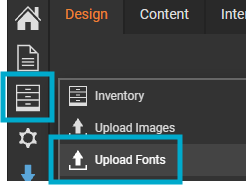
Select the third icon from the left hand menu, followed by 'Upload Fonts'.
-
Drag a file into the modal or select the 'Add Files' button to add your required font file(s).
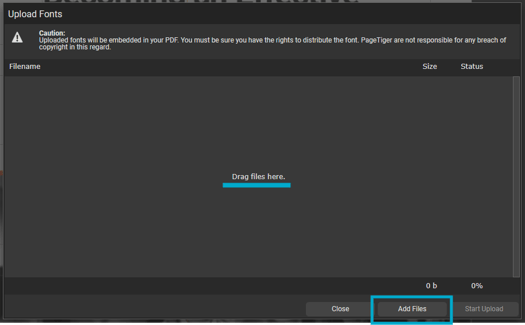
Files must be in .TTF format, and you are responsible for ensuring you have the rights to distribute the font.
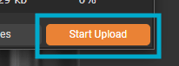
- Select the 'Start Upload' button to upload the font file(s) to your account.
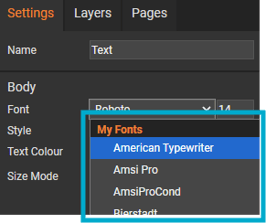
- Once done, the font can be used in a Text, Story or List panel, and will be listed under 'My Fonts'.
Google Fonts is a free, open-source library with hundreds of fonts. They are served via Google's CDN, so work consistently across all devices and browsers. Licensing isn't a concern, so all files are free to use in personal and commercial projects without needing to purchase a license.