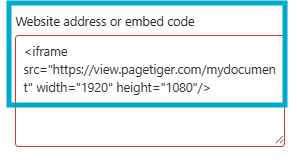
If you receive an error stating that embedding content from the website is not allowed, please contact your SharePoint administrator. This message usually appears when SharePoint’s security settings are preventing external sites from being displayed in an iFrame.
To resolve this, your SharePoint administrator will need to add both view.pagetiger.com and your custom PageTiger domain (for example, mycompany.pagetiger.com) to the “Allow IFrame embedding” list in the SharePoint admin settings.
Once the domains have been approved and the changes have been saved, refresh your SharePoint page and try adding the embed again. The PageTiger document should then display correctly within your SharePoint site.