
TigerDesigner is your powerful tool for creating Fully Editable documents, giving you complete control over both layout and content. Whether you’re building a document from scratch or making quick updates, understanding the difference between 'Design' and 'Content' mode will help you work more efficiently.
When should you use each mode?
-
Design - when you want to create or change the layout.
-
Content - when you want to quickly update text and images.
By switching between the two modes, you can confidently design, edit, and update your document without disrupting the layout or slowing down your workflow.
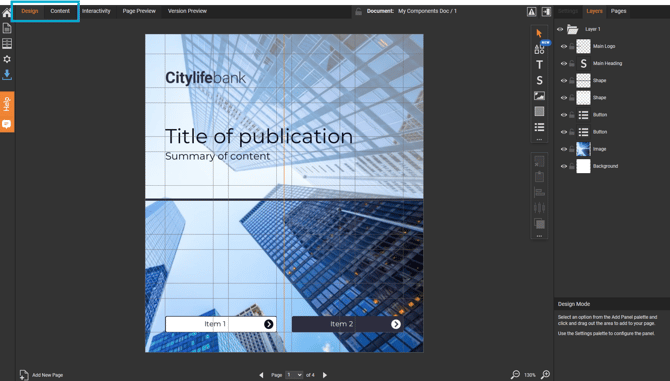
Design
Use the Design tab to build and customise your page layout - this is where you shape how your document will look and feel. If you’re creating a new document or refreshing an existing one, this is the space you’ll use most to bring your ideas to life.
-
Add and arrange panels, such as Text, Image, and Shape.
-
Move, resize, and position panels on the page.
-
Adjust formatting, layout, and visual structure.
Think of 'Design' mode as your creative workspace.
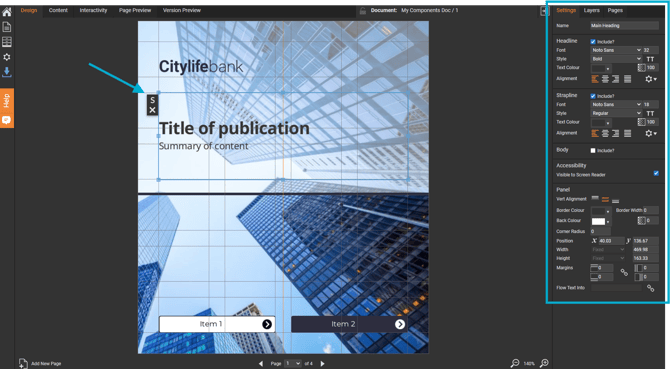
Content
Use the Content tab to focus on what your document says - it’s all about updating the text and images inside your design, without changing the layout.
-
Update text quickly, for example in a Story or List panel.
-
Replace or add images.
- Drag images directly into an image panel using the 'Images' palette.
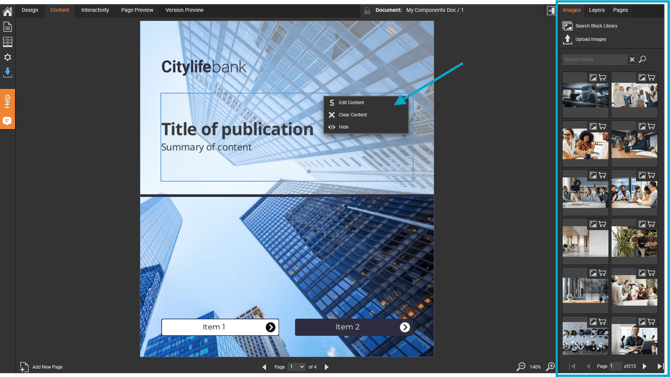
This focused approach lets you concentrate purely on the content, making it ideal for quick updates or content-heavy documents.