
Available with Essentials Plus - contact your Customer Success Manager to upgrade.
Once your translated version has been reviewed and approved, you can publish with confidence and share it with your audience.
- Navigate to a document.
- Select the 'Translations' option to expand the translations drawer.
- Select the ‘Publish’ button to publish an individual translation, or choose ‘Manage’ followed by ‘Publish’ to publish multiple translations at once.
You can bulk publish or unpublish translated versions of a document, helping you save time and manage your multilingual content more consistently.
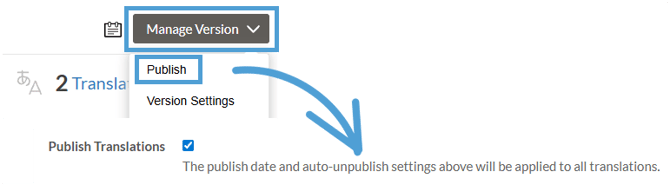
If the translation hasn’t been approved yet, a reminder will display prompting you to review and verify before publishing.

Unpublishing
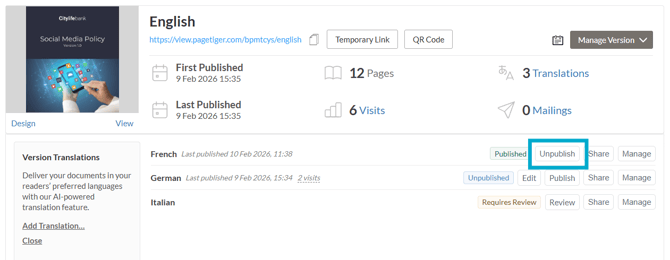
If you need to unpublish a translated version, follow the steps as above, but select the 'Unpublish' button (or 'Manage' followed by 'Unpublish'). Here are the steps:
- Navigate to a document.
- Select the 'Translations' option to expand the translations drawer.
- Select the ‘Unpublish’ button to unpublish an individual translation, or choose ‘Manage’ followed by ‘Unpublish’ to unpublish multiple translations at once.
The bulk unpublish option ensures all selected translations are removed from view at the same time, keeping them available for you to edit or republish later.
Ready to share your translated version? Click here to find out more!