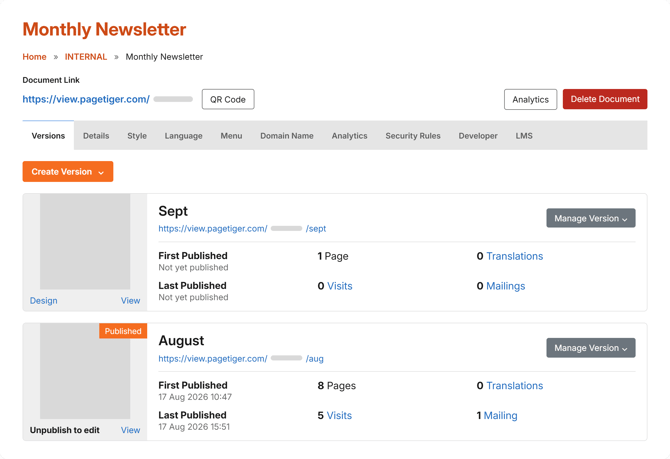
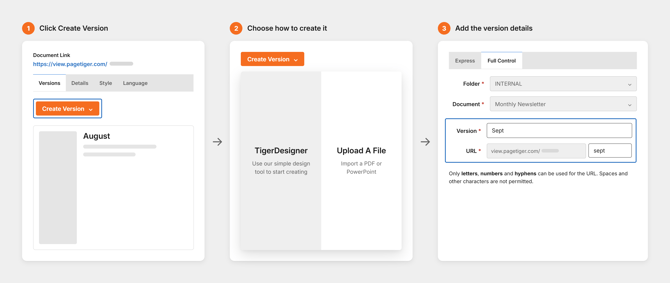
The 'Create Version' button on the document management screen lets you quickly create a new version in the document you’re working in.
Because you’re starting from that document’s management page, the new version is saved within that document by default. The folder and document are already selected for you, so all you need to do is give the version a name.
Version control
Previous versions remain available if you need to refer back to them or return to an earlier one. Distribute the Document Link, to open the most recently created and published version.
Keep the original safe
Make changes in a new version while the existing one stays exactly as it is.
Try out ideas
Experiment with new layouts, content or design without affecting what’s already live.
Stay organised
All versions sit together in the same document, so there’s no hunting across folders.