
Overview
No login is a security rule login type that lets anyone with the link open your document, with no password, email address or sign-in needed.
Any checks you set on the rule's other tabs still apply, such as IP Address, Referral URL, Badge and Expected Visitor Lists. This means you can keep access simple for visitors while still controlling where and how the document is viewed.
-
Effortless access
Visitors go straight to your content, with no login screen. -
Ideal for wide sharing
Perfect for brochures, newsletters and other documents meant for a broad audience. -
Still in control
Combine with checks on other tabs, and choose whether search engines can find your document.
How to create a No login rule
-
Set up the rule details. Learn more here.
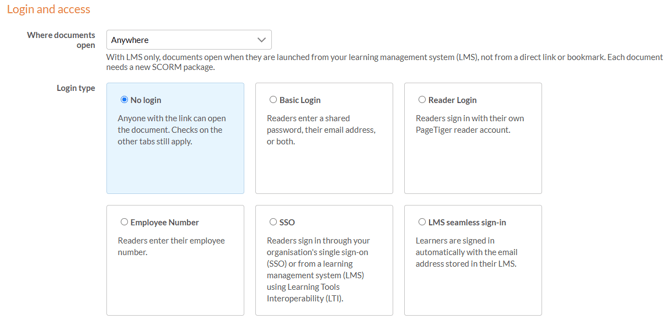
Once the rule details have been completed, the login type can be selected and set up.
-
Select the 'No login' option.
-
Add any checks you need on the other tabs, such as IP Address or Referral URL.
-
Select 'Save', or 'Save & Edit' to save and keep working on the rule
- Think about search engines
'Disable Search Engines' is selected by default, which keeps your document out of search results. Clear it only if you'd like the public to find your document through Google, Bing and other search engines. - Know who's reading
To see who opens your document, use Basic Login to capture email addresses, or Reader Login for verified visitors.