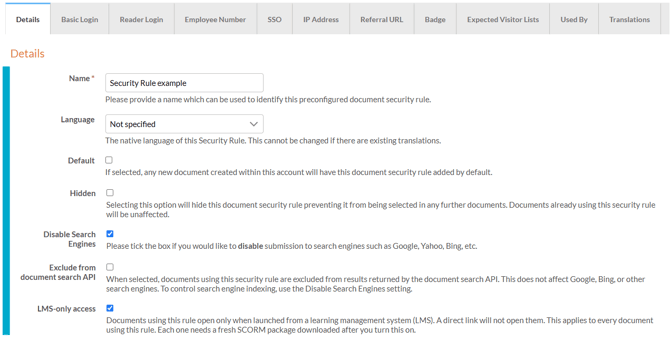
The 'Details' tab contains settings available for every security rule type, including options that control how documents are found, accessed and used.
-
Name
Provide a name for the security rule that will be used to identify it. -
Language
Select the native language of the security rule. Essential when using the Translations feature. -
Default
If selected, any new document created in your account will use this security rule by default. -
Hidden
If selcted, the security rule will be hidden, preventing it from being selected in any documents. Documents already using the security rule will be unaffected. -
Disable Search Engines - selected by default
When selected, this setting prevents documents from being submitted to search engines such as Google, Yahoo, and Bing, so they will not appear in web search results.
Use this setting for documents intended for a specific audience, such as internal reports or client proposals, to keep them out of web search results.
-
Exclude from document search API
When selected, this setting removes documents from results returned by the document search API.
This setting does not affect Google, Bing, or other search engines. To control search engine visibility, use the 'Disable Search Engines' setting.
-
LMS-only access
When selected, this setting restricts documents using this rule to launch from a learning management system (LMS) only. Direct links will not open them, and will return 'Page Not Found'.
If you change this setting on a security rule used by a document already exported as SCORM, you must download the SCORM file again and re-upload it to your LMS for the change to take effect.
-
Pass Through Params
When selected, this setting automatically appends any incoming URL parameters to outgoing links within the document.
For example, UTM tracking codes in the document’s URL are passed on when visitors follow links to your website, helping your analytics identify where those visitors came from.