
Want to see how your content performs in your LMS before committing? With our SCORM export feature, available on the Essentials Plus plan, you can package your courses into industry-standard SCORM files and upload them directly to any compatible LMS.
To try it out, simply download an example file and upload it into your LMS as a new activity. You can then test how it tracks learner progress, completion, and scores in your LMS environment. Once you're ready to upgrade to Essentials Plus, simply contact your Customer Success Manager.
"Easy for you, smooth for your learners, and fully trackable for your reporting!"
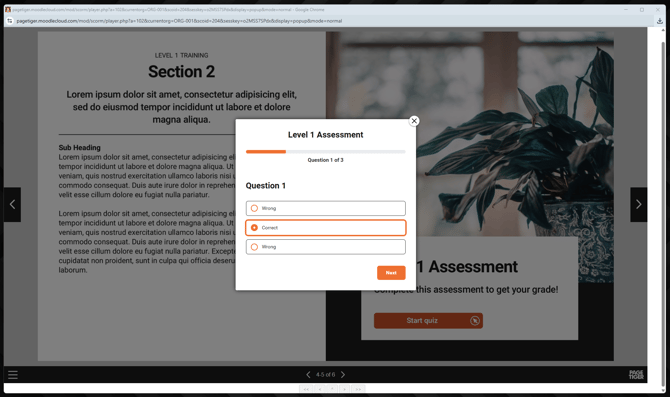
Example dynamic SCORM files
Below are some example dynamic SCORM files that you can download and upload as a new activity in your LMS course to see how everything works.
Download a file and upload it to your course as a new activity.
If you're unsure how to do this, please refer to your LMS user guide for guidance, as instructions can vary depending on your platform.
File 1 - final page is reached
This test file is set up so that when the final page is reached, the activity will be marked as complete in your LMS.
| Version | Test File |
| 1.2 | Download file |
| 2004 | Download file |
File 2 - assessment is passed
This test file is set up so that when the assessment is passed (achieving more than 2 out of 3) it will mark the activity as complete in your LMS.
| Version | Test File |
| 1.2 | Download file |
| 2004 | Download file |
The above files will help you experience how a PageTiger document will look in your LMS - once you’ve had a chance to try them out and everything looks good on your end, just contact your Customer Success Manager to upgrade to Essentials Plus!
If you encounter any issues with these files, please first contact your LMS administrator or owner. If they require further assistance, they can then reach out to our team at support@pagetiger.com.