
Creating personalised, on-brand content has never been easier with TigerGenius - our in-platform wizard makes it easy for teams to create high-quality, personalised content at scale, without compromising brand control.
Remove repetitive manual work and ensure every document is consistent, accurate, and impactful!
TigerGenius in 3 Simple Steps
Follow these three simple steps to turn templates into powerful, tailored documents in minutes.
1. Create a TigerKit
To begin, create a new version of a document and set it as a TigerKit. Then choose the which panels and interactivity can be edited by a TigerGenius User.
2. Assign to a TigerGenius user
Once you're happy with your TigerKit, assign it to one or more TigerGenius Users, making it available for them to use.
3. Use it!
TigerGenius Users can then log into their TigerGenius account, choose a TigerKit to use and fill in the blanks. In just a few clicks, they will have created a polished, personalised document ready to go!
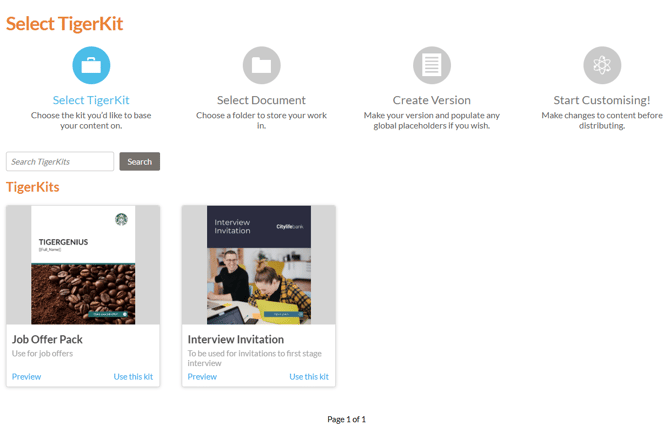
Full Access users can also use TigerGenius, by selecting the 'Genius' option from the main menu of their Admin account.
