
Expected Visitor Lists (EVLs) are lists of email addresses that help you manage who your content reaches across the platform. They can be used in several ways, including selecting recipients for TigerMailer mailings, creating lists that people can subscribe to, controlling document access through security rules, and enrolling specific users in Courses.
Keep your audiences organised, targeted and consistent, while making it easier to deliver the right content to the right people.
Create an EVL
- Select ‘Documents’ from the main menu, followed by 'Settings’.
- Selected ‘Expected Visitors’.
- Select the ‘Add’ button.
- Start by entering a name for the Expected Visitor List in the 'Name' field.
Make sure the name is clear and logical, so you know who is included in the EVL. For example - 'Sales Team', 'London Branch', Health & Safety Course'.
-
Select the 'Save' button to see more options.
-
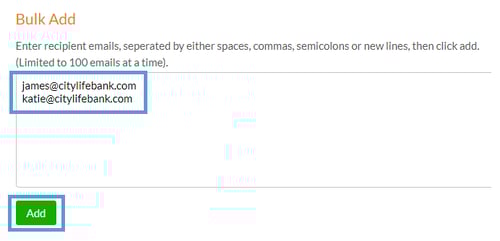
Paste the email addresses that you would like to add to the list using the 'Bulk Add' section, followed by 'Add'.
-
Select the ‘Save’ button to create and save the list.
A list of email addresses can be imported by selecting ‘Import’ > ‘Choose File’.
EVL uses
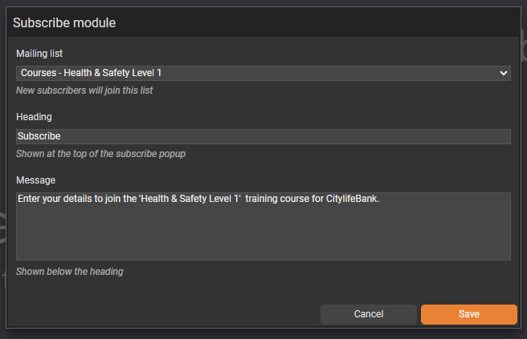
- 'Subscribe' module
Enable readers to subscribe to an EVL list directly from a document. This creates a smoother experience for readers and makes it easier to capture sign-ups, grow your mailing lists and connect people with updates, courses or communications.
-
Security Rule
Secure your content with precision by pairing an Expected Visitor List with a Reader Login or SSO security rule. When a visitor logs in, their email address is checked against the EVL - if it appears on the list, they’ll be granted access to the document, and, if not, access will be denied.

-
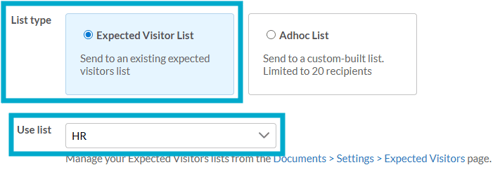
TigerMailer
Choose who you want to send a mailing to by selecting an existing Expected Visitor List. This ensures your TigerMailer campaigns are delivered to the intended recipients, helping you keep communications targeted, relevant and easy to track.
- Courses
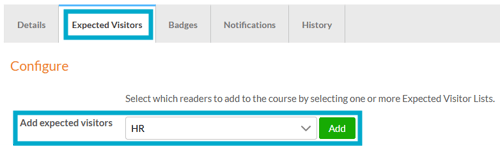
Choose who will be part of your course by selecting an Expected Visitor List. This assigns them to a targeted course and will track their completion and progress.
- Expected Visitors
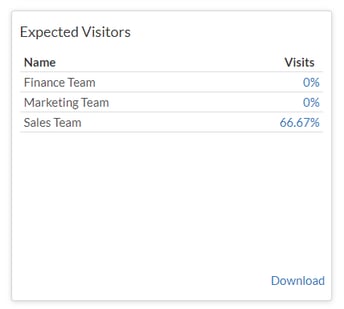
Check whether people on a list have viewed your document by applying a Reader Login or SSO security rule. This matches the email addresses of logged-in readers against the list, so you can instantly see who has engaged with your content and who has not, helping you keep your communications targeted and measurable.
'Expected Visitor Lists' will become 'Contacts Lists' - same functionality, new name, so you may see both terms in use during the transition.