
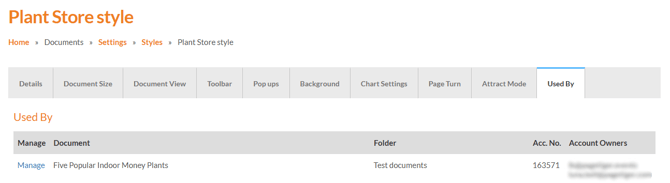
This tab shows which documents are currently using this style, helping you see where it has been applied.
Use it as a reference when reviewing your documents or planning changes to the style.
You will see a list of any documents that use this Style here along with the folder, account number and account owner of the document.
You can navigate to these documents in this tab by clicking the 'manage' option next to them.
These guides may also help:
- Style Settings: Document Size
- Style Settings: Toolbar
- Style Settings: Pop ups
- Style Settings: Background
- Style Settings: Chart Settings
- Style Settings: Page Turn
- Style Settings: Attract Mode
You can see a video walkthrough on creating Custom Styles in the PageTiger Learn Centre -> Training | Custom Styles